UI/UX Design

UI/UX Design for Web & Mobile

Make your website or app easier to understand and use. Our UI/UX design services cover user research, UX audits, wireframes, interactive Figma prototypes and design systems, from the first user journey to developer handoff.

Start a Project

UI and UX are not the same job

UX is the structure: what someone can do, in what order, and how easily. UI is the surface: layout, typography, colour, spacing and component states. A product with a screen needs both.

A clear interface cannot rescue a confusing journey. We define the task and the flow before polishing the screen.

We discover the problem, define success, design, prototype, test and deliver. The handoff includes specifications, assets and documented states so developers are not left to guess.

UX audit and consultation

We go through your product and find the usability problems, the friction points and the missed opportunities. You get specific recommendations, not a list of principles. On an existing product it is usually the cheapest way to find out what is actually wrong.


Interface design

Production-ready UI covering the states real products need: loading, empty, error, success, disabled. Most interface designs cover the happy path and leave developers to invent the rest.

Design systems

A documented component library, type scale, colour system and interaction patterns. Keeps the product consistent, speeds up development, and stops the fifth new screen looking like it came from a different product.

Design Solutions That Work

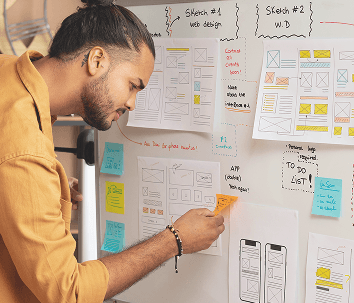
Research replaces assumptions with evidence. Wireframes settle structure before surface, and prototypes let you test a journey before paying to build it.

Wireframing and prototyping

Wireframing and prototyping

Structure before surface, and interactive prototypes you can click through before anyone writes code.

Web interface design

Web interface design

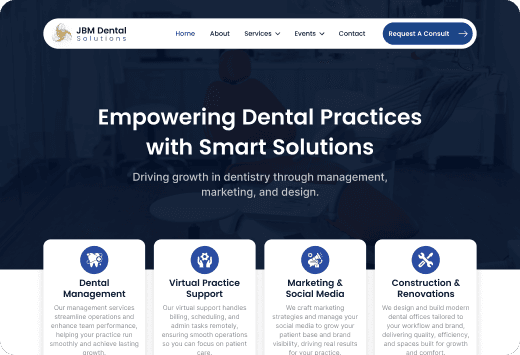
Information architecture, navigation and content hierarchy. Responsive layouts, landing page journeys, forms and conversion paths, dashboards and portals.

Conversion rate optimization

Conversion rate optimization

Finding where people drop out of a flow and fixing it. It is specific friction more than a redesign: a form field that should not exist, a step that arrives too early, a button that does not look like a button.

Mobile app design

Mobile app design

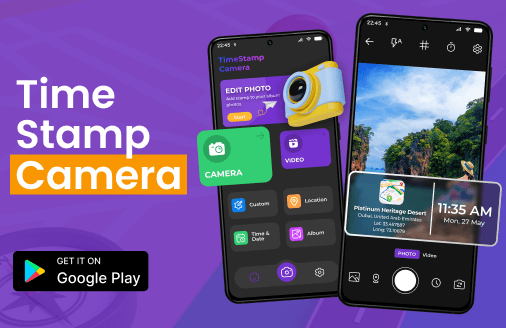
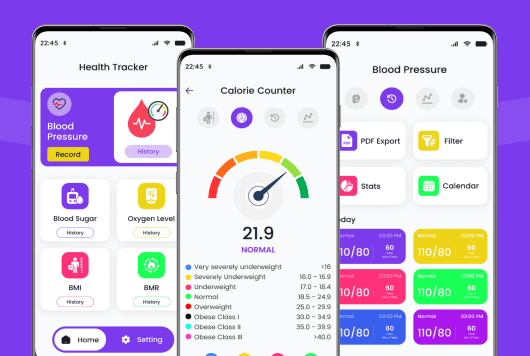
Mobile-first flows, touch-friendly controls, onboarding, navigation and interaction states. Designed around the phone, not adapted from a desktop screen.

Usability testing and improvement

Usability testing and improvement

We test with people who resemble your actual users, watch where they hesitate and fix the friction. Prototype results are checked against real data, permissions, latency and failure states.

User research

User research

Interviews, behaviour analysis and journey mapping replace internal assumptions with evidence. Findings identify who is using the product, what they need and where they struggle.

Start with an audit, not a redesign

Where the problem sits in a few flows, targeted fixes can cost less than a rebuild. If traffic or the offer is the real constraint, design alone will not solve it. Tell us where people are dropping out and we will help define the right work.

BOOK CONSULTATION

FAQ

Got Questions?
We’ve Got Answers!

Straight answers about the work, the decisions to make before it starts, and what happens after launch.

Get a Quote

UX is the structure: what someone can do, in what order, how easily. It covers research, information architecture, flows and interaction logic. UI is the surface, meaning layout, typography, colour, spacing and component states. Any product with a screen needs both.

What decides it is reuse: how many components repeat, how many people build interfaces, how many platforms you ship to, and whether accessibility and brand consistency need enforcing instead of remembering. For a small marketing site built once, a documented style guide is enough.

Yes, and it is the cheaper route. An audit followed by targeted fixes to specific flows costs a fraction of a redesign. Where the frontend is obsolete or the architecture itself is the problem, patching costs more than replacing, and we will say so.

Yes. Testing a prototype before development is cheap insurance. Even a handful of sessions surfaces problems internal review missed, provided the participants resemble your actual users. Five people from the wrong segment can find nothing at all.

Figma, for design and prototyping. You can view, comment on and hand off the work directly without any software of your own.

Either. We deliver specifications, assets and documentation to your team, or design and build in one engagement, which shortens the distance between the two. It does not remove handoffs. Designers, developers, QA and content owners still hand work between them. What it removes is the company boundary in the middle of it.

It can, if it ships untested. That is why we prototype and test before building. A redesign that changes everything at once also makes attribution much harder. A staged rollout, a control group or cohort analysis will still give you answers; a big-bang launch throws that away for free. It is a good argument for staged improvements on a product that already works.